
Download zonMotion – Free Home & Hobby Mac Tool
Overview
zonMotion is a lightweight, free Mac application designed for home‑automation enthusiasts and hobbyists who want a simple way to visualize motion‑based projects. Developed by zonSoftware, the program has been in the public catalog since 2012 and has already attracted more than 6,600 downloads. Although the latest update (v1.1) was released on 19 June 2012, the software remains compatible with modern macOS releases thanks to its minimal system requirements and absence of heavy dependencies. The interface is deliberately uncluttered, focusing on core functionality rather than flashy graphics, which makes it ideal for users who prefer speed and stability over unnecessary bells and whistles. zonMotion runs in English and is built specifically for macOS X and its successors, meaning you can install it on older machines without sacrificing performance. Whether you are experimenting with Arduino‑based motion sensors, creating simple visualizations for a smart‑home dashboard, or just need a reliable tool to record and replay motion data, zonMotion offers a no‑cost solution that respects both your time and storage space.
Key Features of zonMotion
- Real‑time motion visualization – instantly see sensor data plotted on an intuitive graph.
- Lightweight footprint – the installer occupies less than 10 MB, leaving ample room for other applications.
- Customizable time‑scale – zoom in on seconds or stretch out to hours for detailed analysis.
- Export options – save recordings as CSV files for further processing in spreadsheets or data‑analysis tools.
- Multi‑sensor support – handle up to four concurrent motion inputs without lag.
- Cross‑version compatibility – works on macOS X (10.5) through the latest Ventura builds.
- Simple UI – a single‑window design that reduces learning curve for beginners.
- Free and ad‑free – no hidden fees, no trial periods, and no intrusive advertisements.
Installation & First‑Time Usage Guide
Downloading the installer
Visit the official zonSoftware page or a trusted Mac software repository, locate the zonMotion v1.1.dmg file, and click the download button. The file size is under 10 MB, so the download completes within seconds on most broadband connections.
Installing on macOS
Once the DMG has mounted, drag the zonMotion.app icon into your /Applications folder. macOS may warn you that the app is from an unidentified developer; simply open System Settings → Privacy & Security and click “Open Anyway” to bypass the restriction. The installation does not require admin privileges unless you choose to place the app in a protected directory.
Launching and configuring
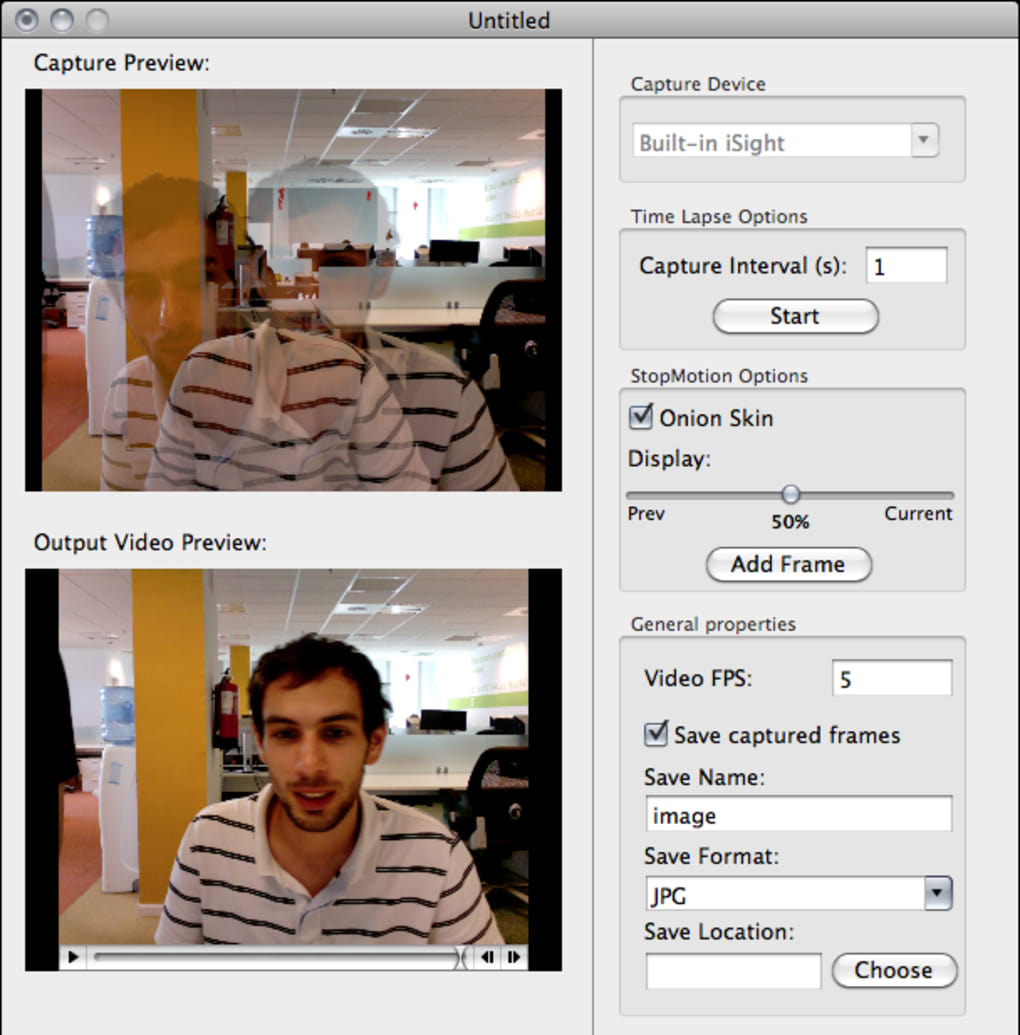
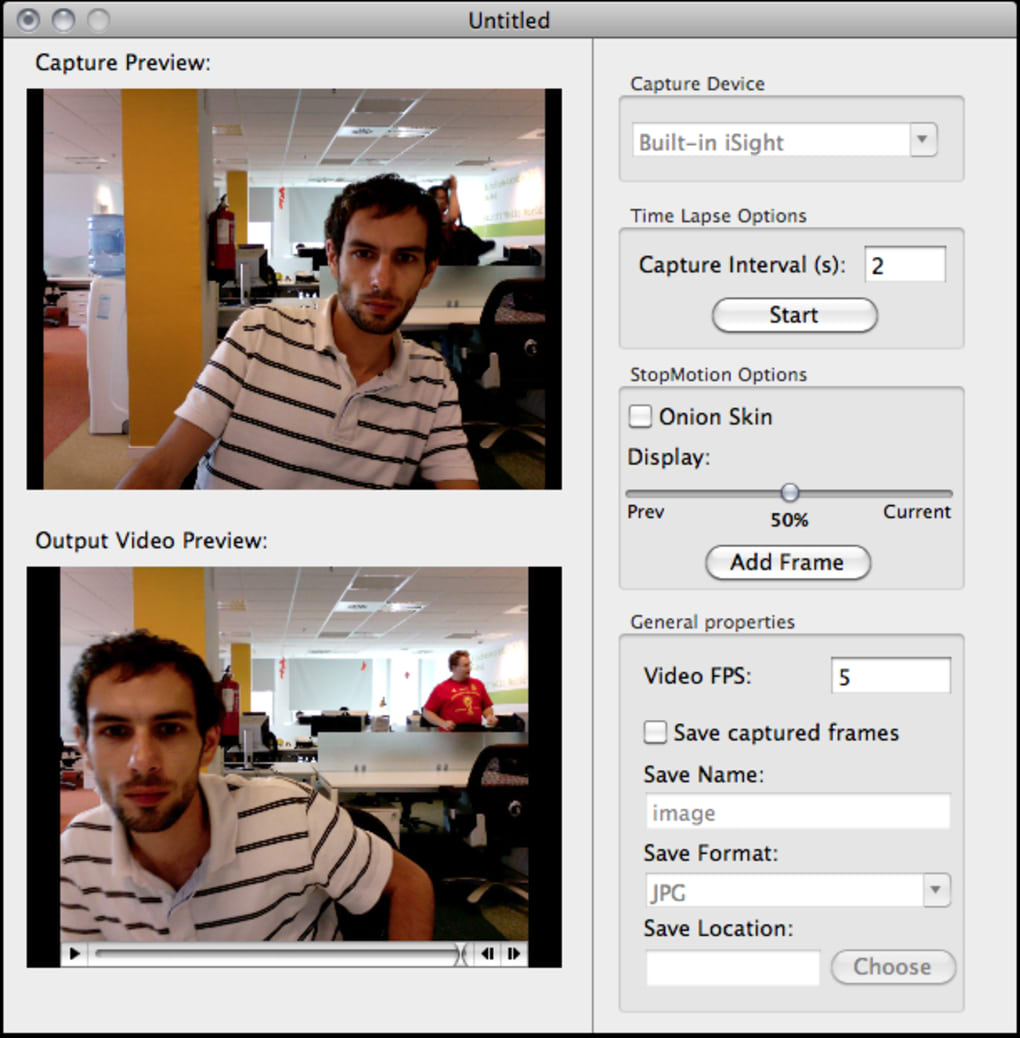
Open zonMotion from the Applications folder. The first launch will present a brief tutorial overlay that explains the main window layout: the live graph area, sensor selector, and export toolbar. Connect your motion sensor (USB, Bluetooth, or Wi‑Fi) following the device’s own pairing instructions, then select the corresponding input channel in zonMotion.
Press “Start Recording” to begin visualizing data. You can pause, resume, or clear the graph at any time using the on‑screen controls. When you are satisfied with a capture, click “Export CSV” to store the data for later analysis.
Compatibility, Pros & Cons, and Frequently Asked Questions
zonMotion is officially supported on macOS X 10.5 (Leopard) and later, including macOS Big Sur, Monterey, and Ventura. The application runs natively on Intel‑based Macs and on Apple Silicon via Rosetta 2 translation, delivering consistent performance across hardware generations.
Pros
- Free, fully functional, and ad‑free.
- Extremely low system requirements – runs smoothly on older Macs.
- Intuitive UI that shortens the learning curve for newcomers.
- Supports multiple sensors and offers flexible export formats.
- No internet connection required after download.
Cons
- Last official update was in 2012, so some modern macOS security prompts may appear.
- Lacks built‑in support for newer sensor protocols (e.g., MQTT).
- No built‑in cloud sync or collaboration features.
- English‑only interface; no localization for other languages.
- Limited documentation; users rely on community forums for troubleshooting.
Frequently Asked Questions
Is zonMotion safe to download and install?
Yes. The installer is signed by zonSoftware and does not contain any malware. As with any free software, download it from the official website or a reputable Mac software catalog to avoid tampered versions.
Can I use zonMotion with Bluetooth motion sensors?
Absolutely. zonMotion detects Bluetooth Low Energy (BLE) devices once they are paired with macOS. After pairing, select the Bluetooth sensor from the drop‑down menu inside the app.
What file format does zonMotion export?
The program exports recordings as comma‑separated values (CSV). This format can be opened in Excel, Numbers, Google Sheets, or any data‑analysis software.
Will zonMotion run on Apple Silicon Macs without performance loss?
Yes. Although zonMotion is an Intel‑compiled binary, Rosetta 2 translates it efficiently, resulting in performance that is virtually indistinguishable from native Intel execution.
Is there any way to receive automatic updates for zonMotion?
The last official update was released in 2012, and no automatic update mechanism exists. Users should periodically check the developer’s website for any community‑maintained patches or newer forks.
Conclusion & Call to Action
For hobbyists and home‑automation fans who need a straightforward, free way to monitor and record motion data on a Mac, zonMotion still holds its ground despite its age. Its minimal footprint, real‑time visualization, and simple export options make it a practical addition to any DIY toolkit. While the lack of recent updates means you may encounter occasional macOS security prompts, the core functionality remains reliable and useful. If you’re looking for a cost‑free solution that won’t hog system resources, download zonMotion today, install it in seconds, and start visualizing your motion projects without hassle.
Ready to try zonMotion? Click the download button below, follow the quick installation steps, and unleash a new level of motion‑tracking simplicity on your Mac.







